split your bill manually

split your bill manually
About Us
At SplitBill.id, we believe that life is already complicated enough — splitting your bill manually shouldn’t make it harder. That’s why we created a simple and smart solution to divide expenses fairly in just a few taps.
Whether you’re out with friends, sharing household costs, or managing group activities, our platform helps you calculate who pays what instantly. No more messy math, no more awkward conversations — just clarity and fairness that everyone can agree on.
With features like automatic bill upload, receipt scanning, and manual input, SplitBill.id is built to fit any different scenarios with ease. Our goal is to save your time and reduce hassle. Let us handle the details so you can keep your focus on enjoying the moment instead of worrying about numbers.
We value simplicity, transparency, and community. By making cost-sharing effortless, we bring people closer together — because splitting the bill should be easy, not stressful.
We designed our platform to be intuitive and easy for anyone to use. And the best part? It’s completely free to use!
Join us at SplitBill.id and experience a smarter way to share expenses!
Key Feature #1
Scan your receipts

Forget manual entry. Our advanced AI scanner instantly converts your physical receipt into digital data, identifying every item, price, and tax with precision.
Key Feature #2
Pick your items, pay your share

Just click the items you consumed. You can easily assign specific dishes to individuals or split shared appetizers among the whole group with a single click.
Key Feature #3
No app download required

Access all features directly through your mobile browser. Simply share a link with your friends so everyone can join the bill and settle up without installing anything new.
How to Use SplitBill
Easy Step-by-Step Guide to Split Receipts
1. Choose between Scan Receipt or Manual Input
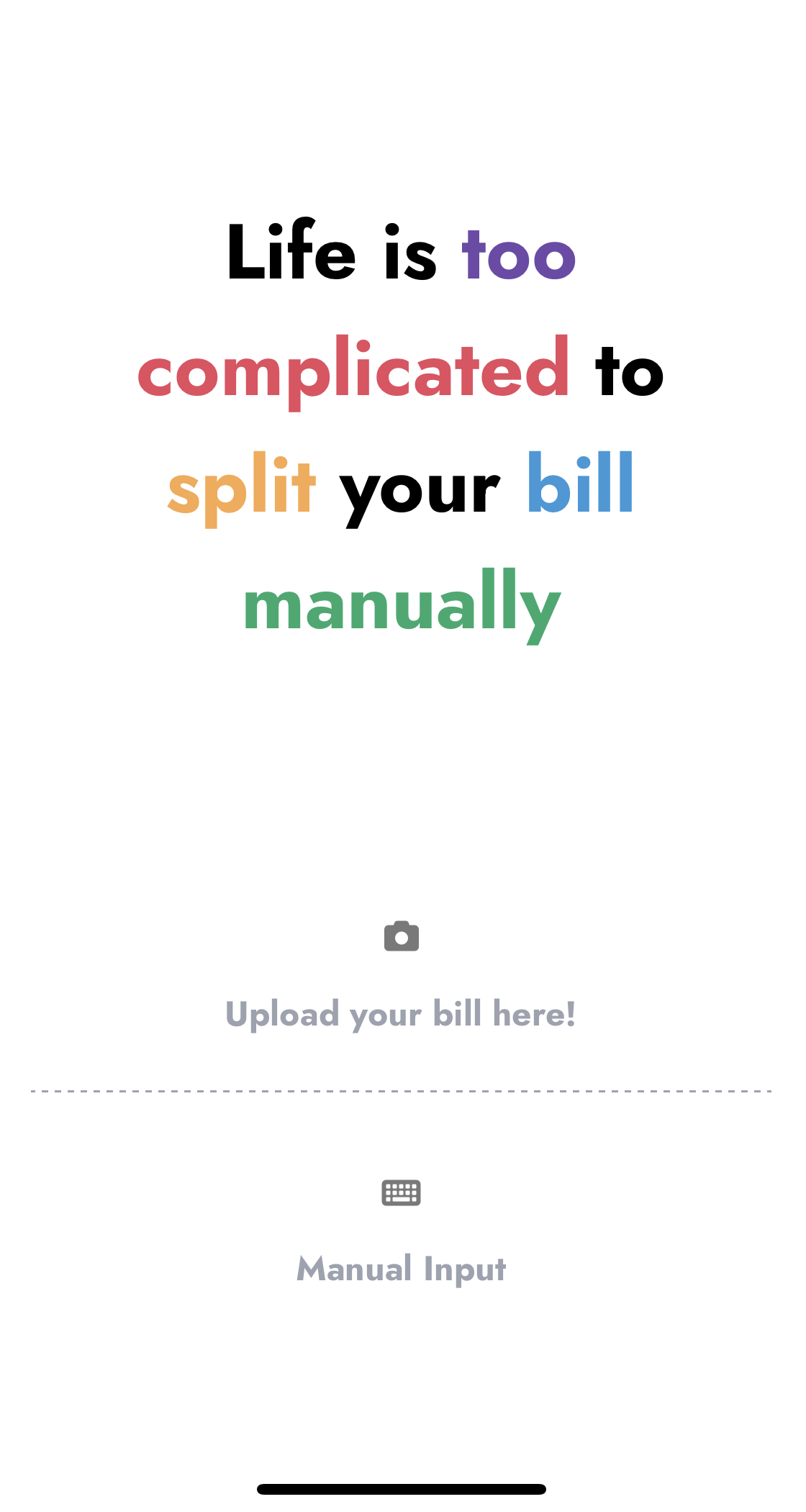
Scanning is faster; Manual input gives you full control
2. Scan the bill → Preview & Edit
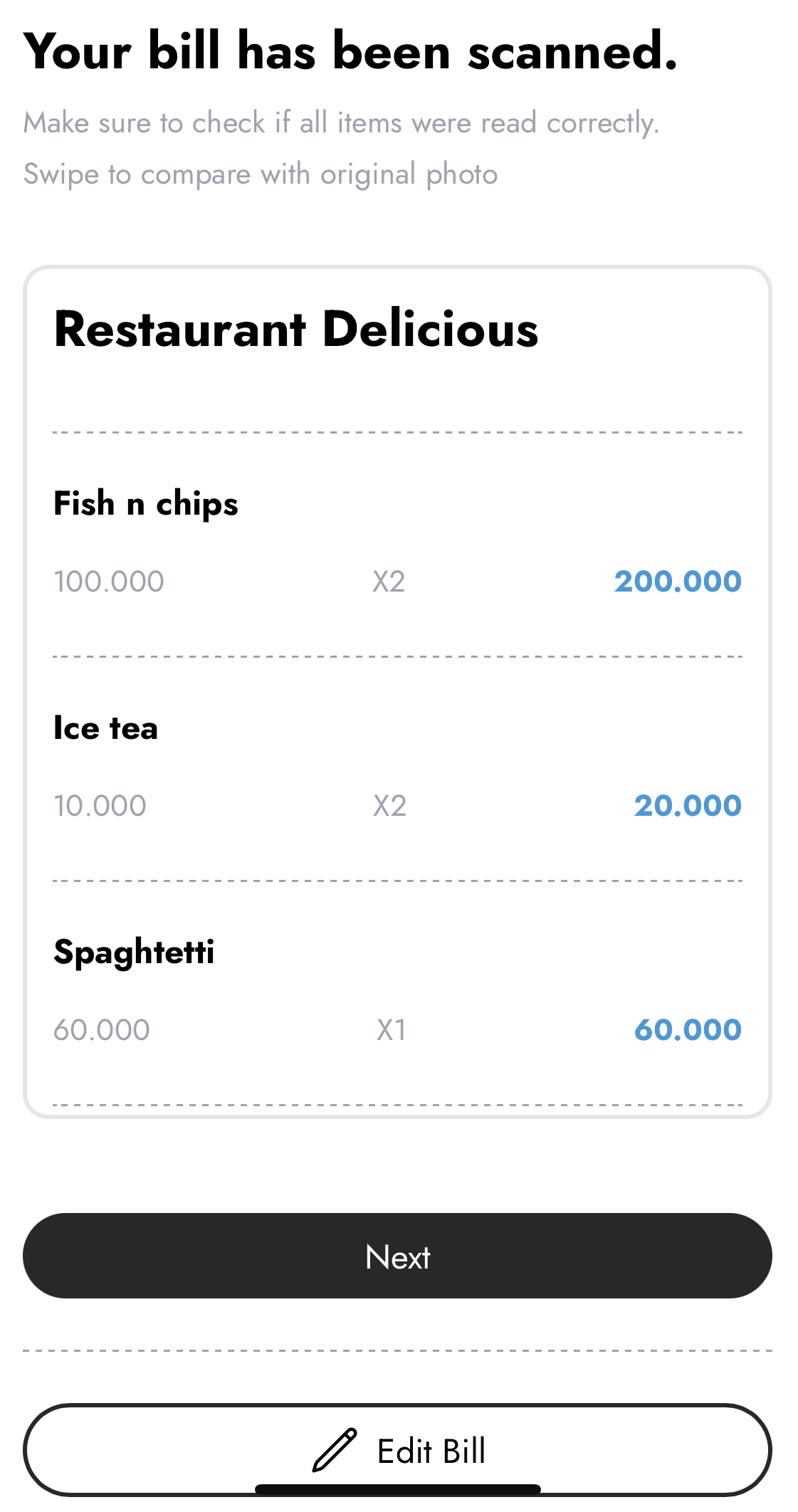
Scanning the receipt will give you a preview. If anything looks wrong (OCR isn't perfect), tap Edit Bill to edit the receipt. If everything looks correct, tap Next to continue.
3. Add participants
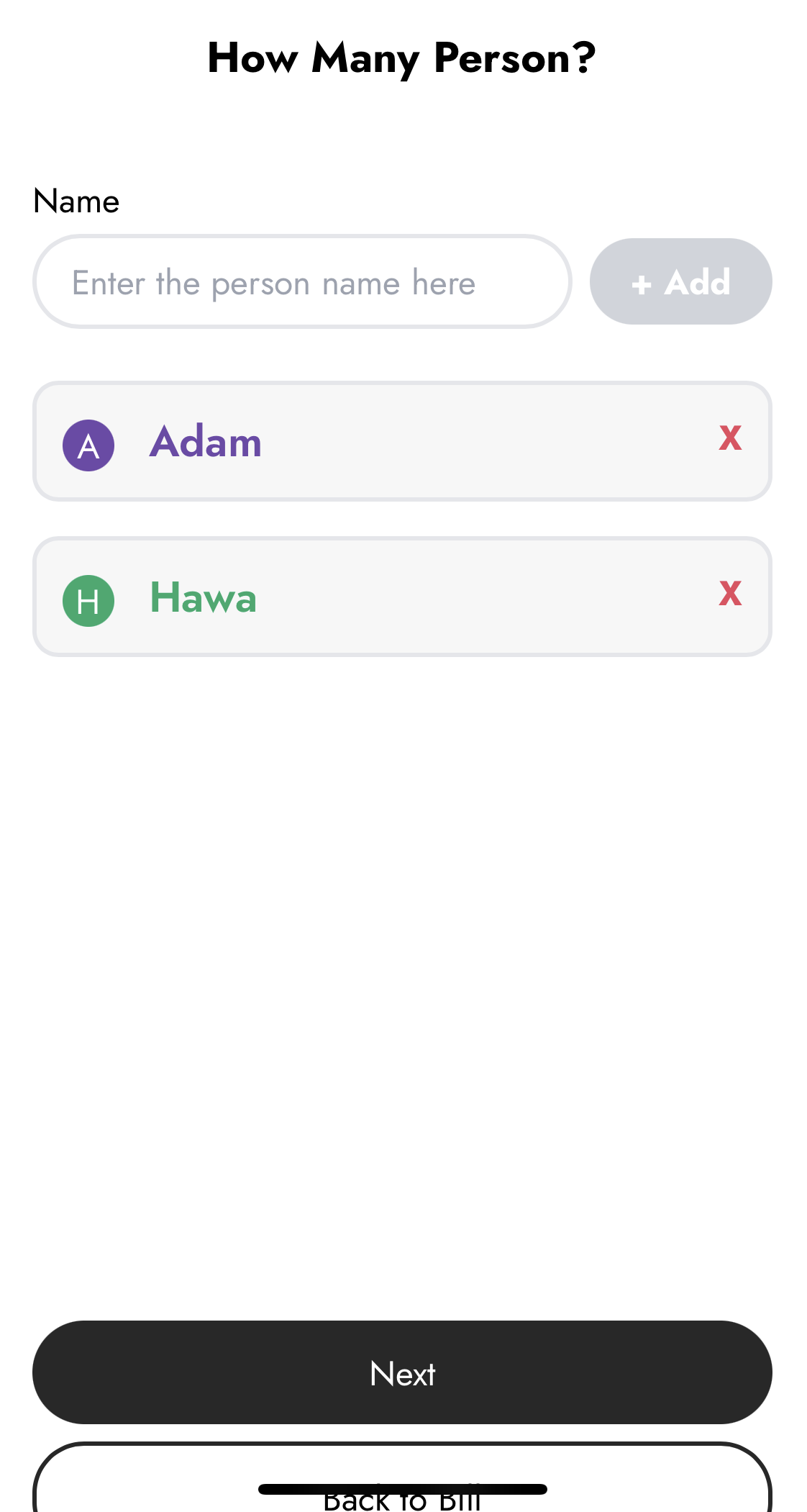
Add the people who will share the bill. Each person appears as a tile you can quickly assign items to.
4. Choose how to split
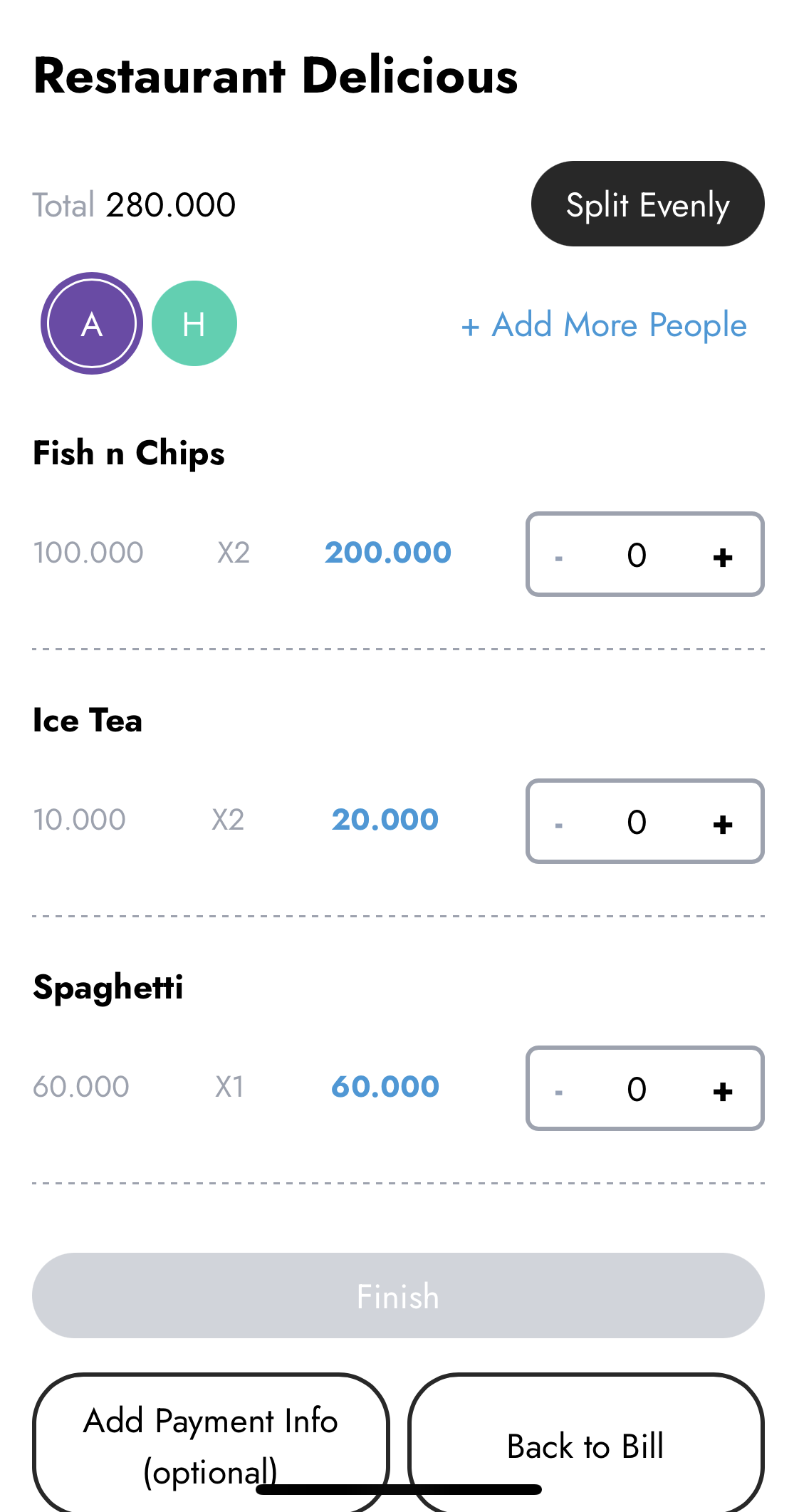
Pick the split method that fits the situation:
• Split Evenly — divide the total equally among everyone. Fast and simple.
• Per-item split — assign each item to the person who ordered it(most accurate).
After you click Finish, the app will ask whether you want to require proof of payment whenever someone taps Paid. Turn this on if you want people to upload a proof of payment. Otherwise, choose No.
5. Payment Information (optional)
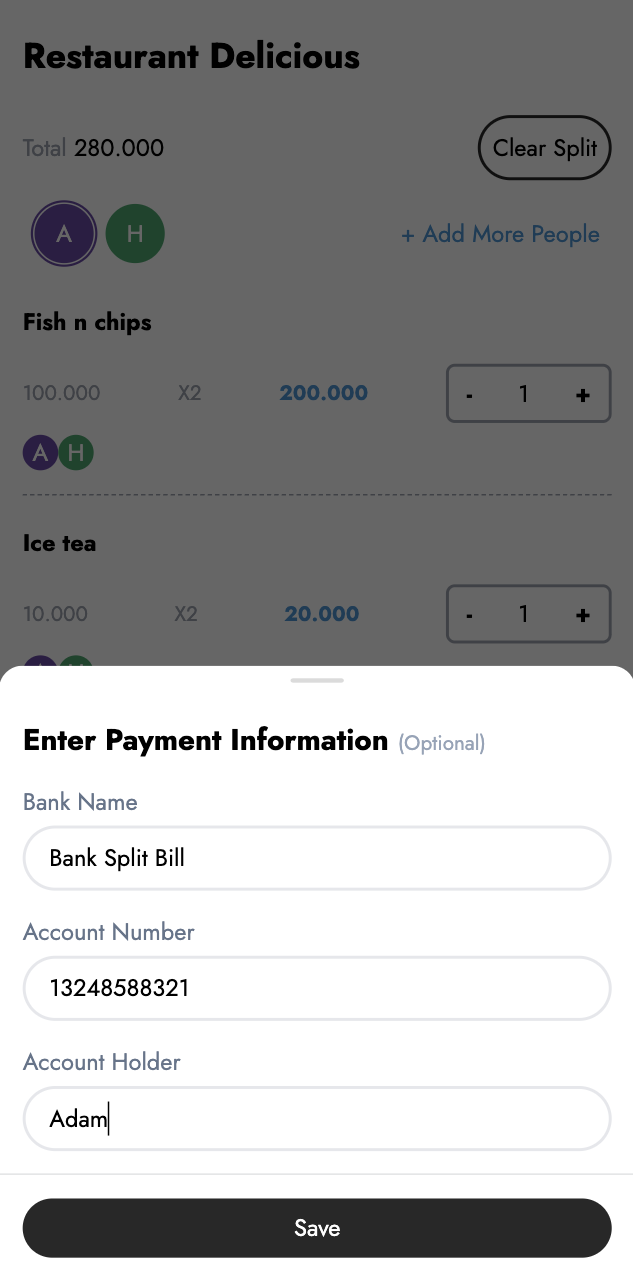
Add your bank account or e-wallet details so friends know where to pay. This step is optional but makes collecting money much smoother
6. Share link & track payments
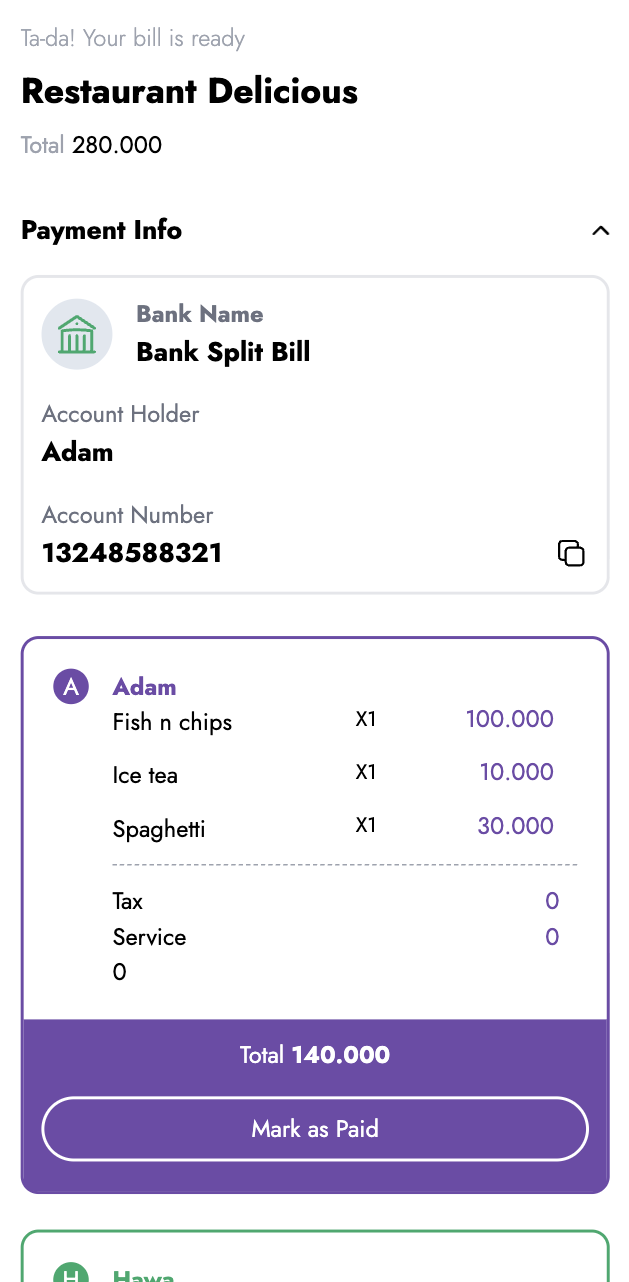
Share the link to your friends. They can open the link, pay via their chosen method and tap Paid. You can track who's paid and who's still outstanding.